
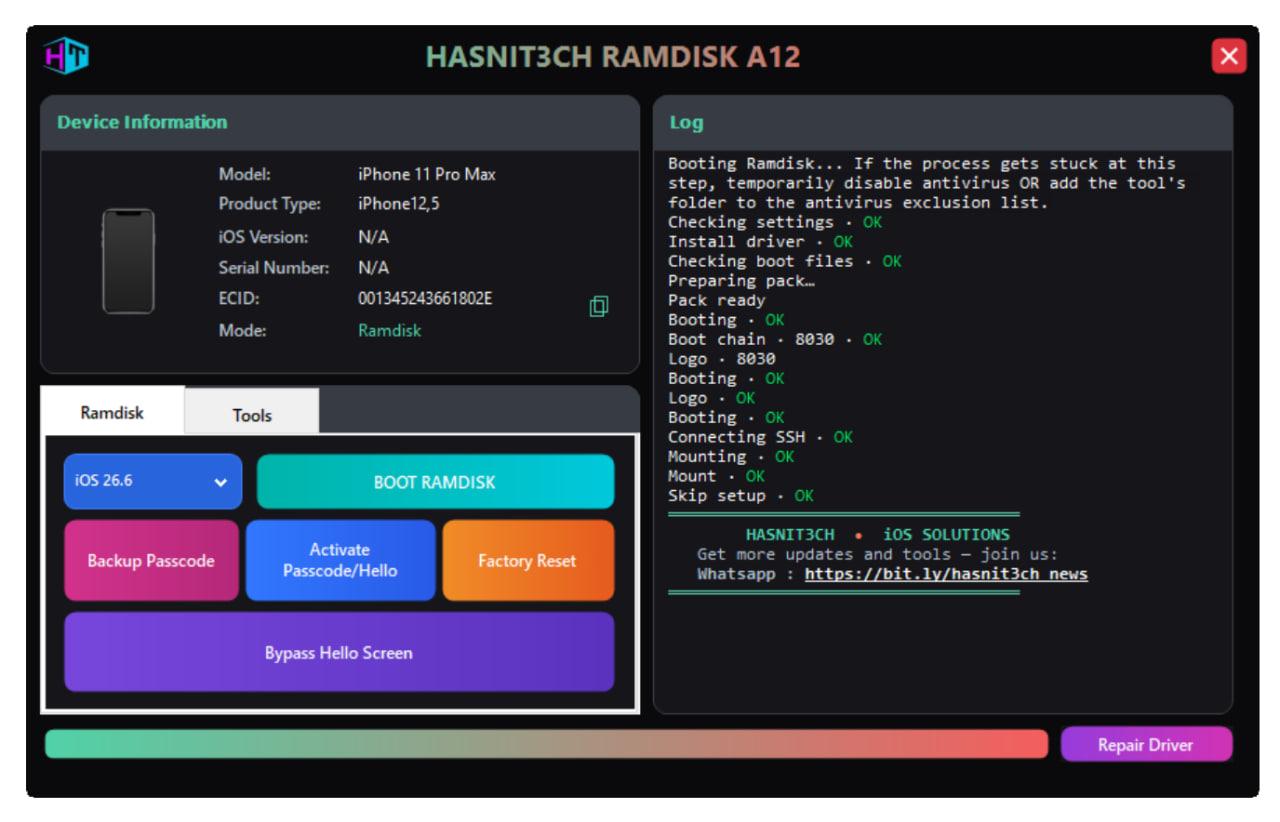
HASNIT3CH RAMDISK A12
Price
Login to show
Delivery
Instant
Status
Online
You must agree before submitting.
Service Guarantee
Resource
Manage your tools and account from this resource access hub.
🚀 HASNIT3CH Ramdisk A12–A13 Tool
A powerful and reliable iOS solution built for professional technicians. HASNIT3CH Ramdisk A12–A13 Tool delivers fast, stable performance for A12 and A13 devices with full functionality preserved after the process.
🔥 Latest Update
- 🆕 Extract Owner Info
- 🛠️ Fixed Face ID issues
- 🔋 Fixed the battery "Unknown Part" error
💎 Software Benefits
⚡ Hello Screen Bypass A12/A13 (NO SIGNAL) — iPhones & iPads
⚡ Passcode / Disabled Screen Bypass A12/A13 (WITH SIGNAL) — iPhones & iPads
✨ Full Working 100% 💯 — All features stay functional:
- ✅ iCloud Login
- ✅ Reboot
- ✅ App Store
- ✅ Apple Pay
- ✅ FaceTime
- ✅ Notifications
- ✅ OTA & Reset Block
📲 Supported Models
- 📱 iPhone XS
- 📱 iPhone XS Max
- 📱 iPhone XR
- 📱 iPhone 11
- 📱 iPhone 11 Pro
- 📱 iPhone 11 Pro Max
- 📱 iPhone SE (2nd Generation)
- 📲 iPad Air (3rd Generation)
- 📲 iPad mini (5th Generation)
- 📲 iPad (8th Generation)
- 📲 iPad (9th Generation)
⬇️ Download & Registration
Download Tool: https://bit.ly/Hasnit3ch
ECID Registration Panel: https://reseller.hasnit3ch.com/
📌 How It Works
- Download and install the HASNIT3CH Ramdisk A12–A13 Tool.
- Register your device ECID through the reseller panel.
- Connect your device and select the required mode (Ramdisk / Tools).
- Follow the on-screen steps to complete the process.
💠 HASNIT3CH • iOS SOLUTIONS
Trusted tools for iOS professionals.